Connecting Antigravity to your brain
You do not have to find Cobrain in a catalogue or edit files by hand: ask Antigravity to add it to its MCP configuration, then finish the authorisation.
What you need
A Cobrain account (free, with your email) and this address: it is the only thing you carry into the other program. No key, no password.
https://cobrain.space/mcpAccess: read and write, with exactly your permissions. Duration: until you revoke it, from the Connections page in the dashboard.
The steps
6 in all. One action per step; wherever something can go wrong, the fix is inside that step.
Ask it to add Cobrain
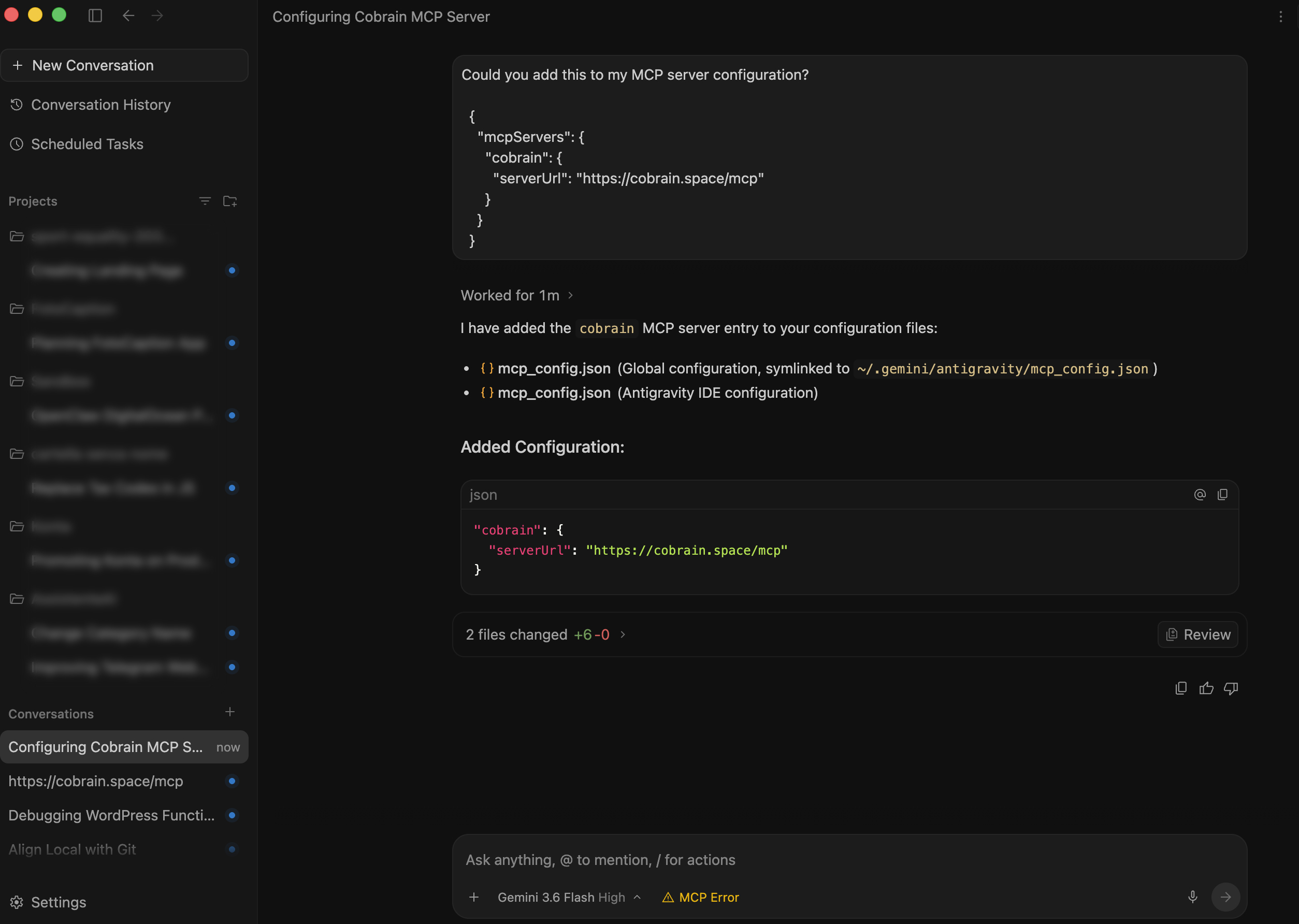
Open a new conversation in Antigravity, copy the message below and send it. The agent adds cobrain to the MCP configuration files and shows you what it changed.
Add this server to my MCP configuration:

{
  "mcpServers": {
    "cobrain": {
      "serverUrl": "https://cobrain.space/mcp"
    }
  }
}
Open Customizations and authenticate
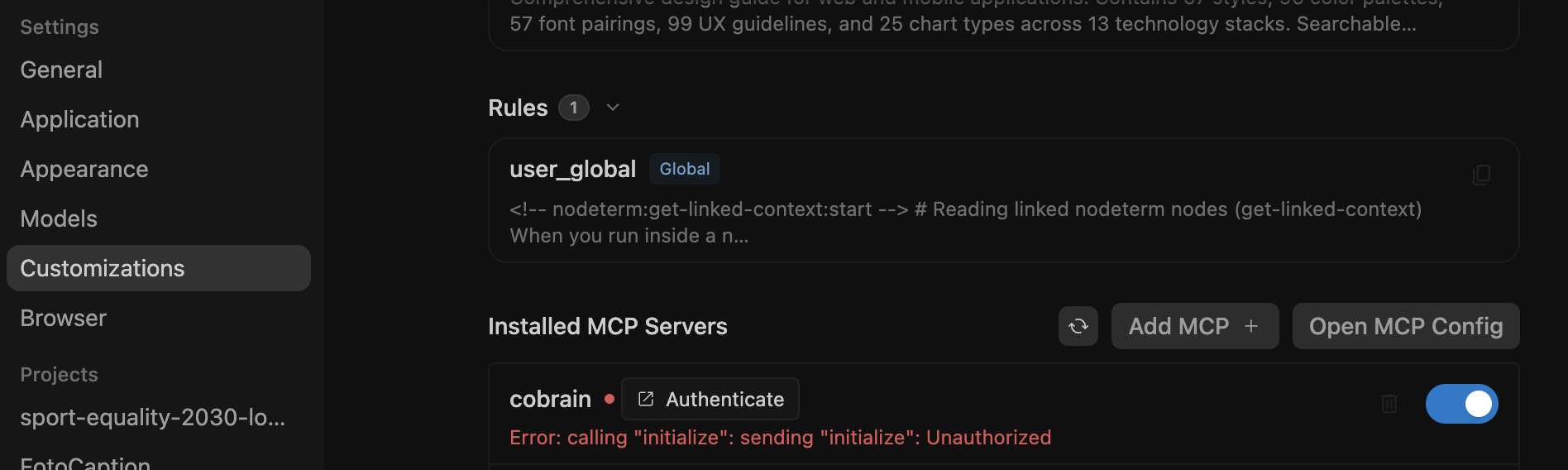
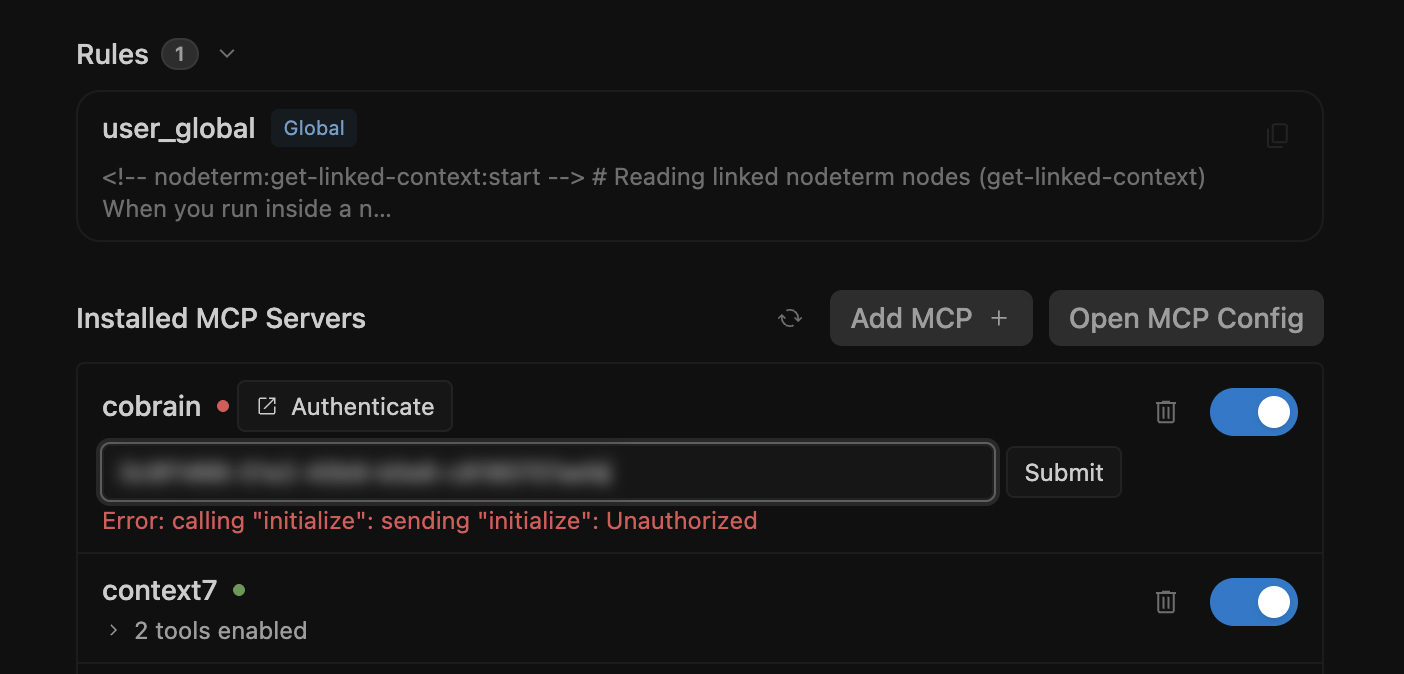
Open Settings → Customizations. Under «Installed MCP Servers» you find cobrain: press Authenticate. The red Unauthorized error is expected at this point.
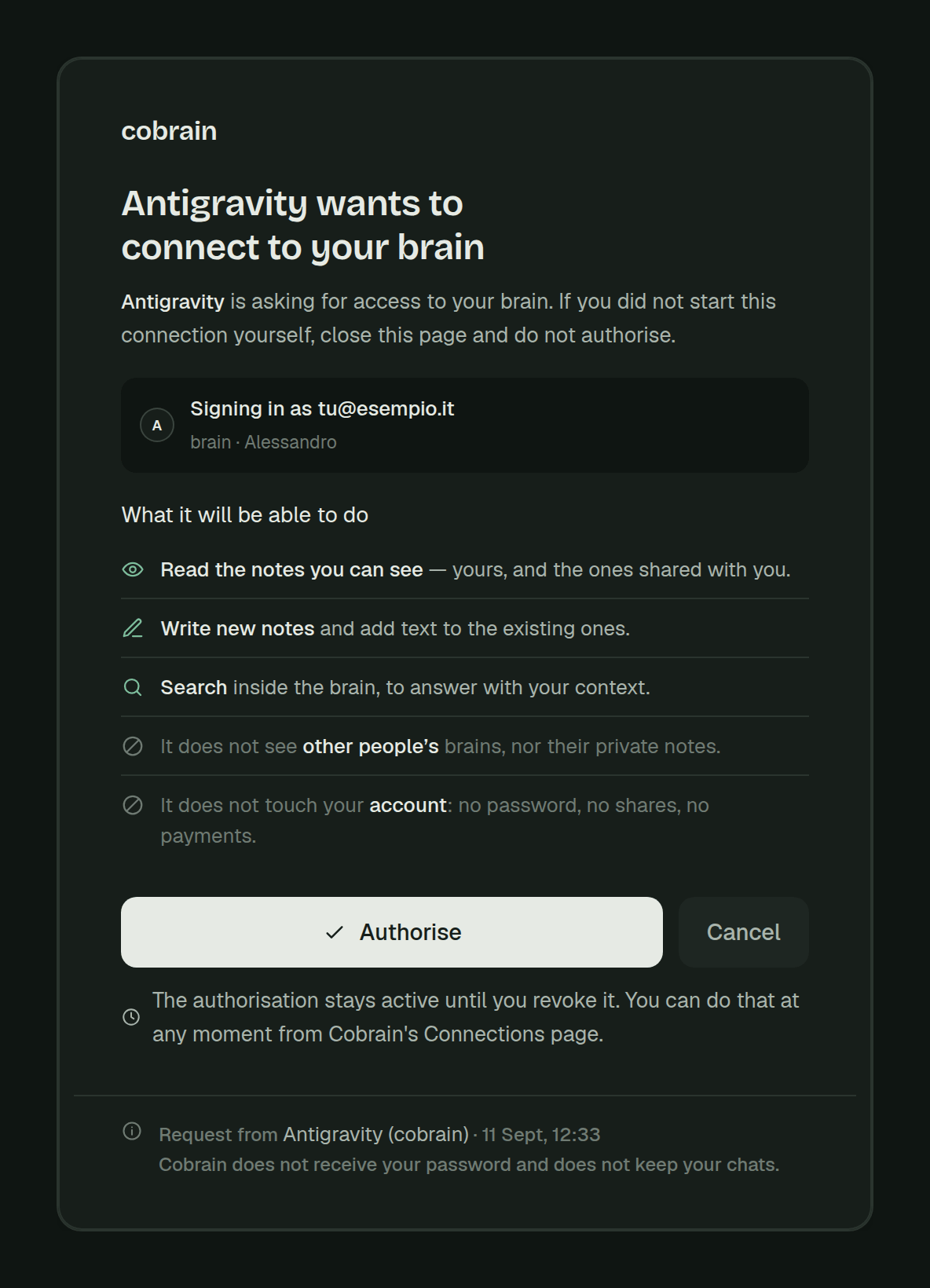
Press Allow access on Cobrain
In the browser check that the page says Antigravity wants to connect to your brain, then press Allow access. The page shows which account you are signing in with and what Antigravity will be able to do.
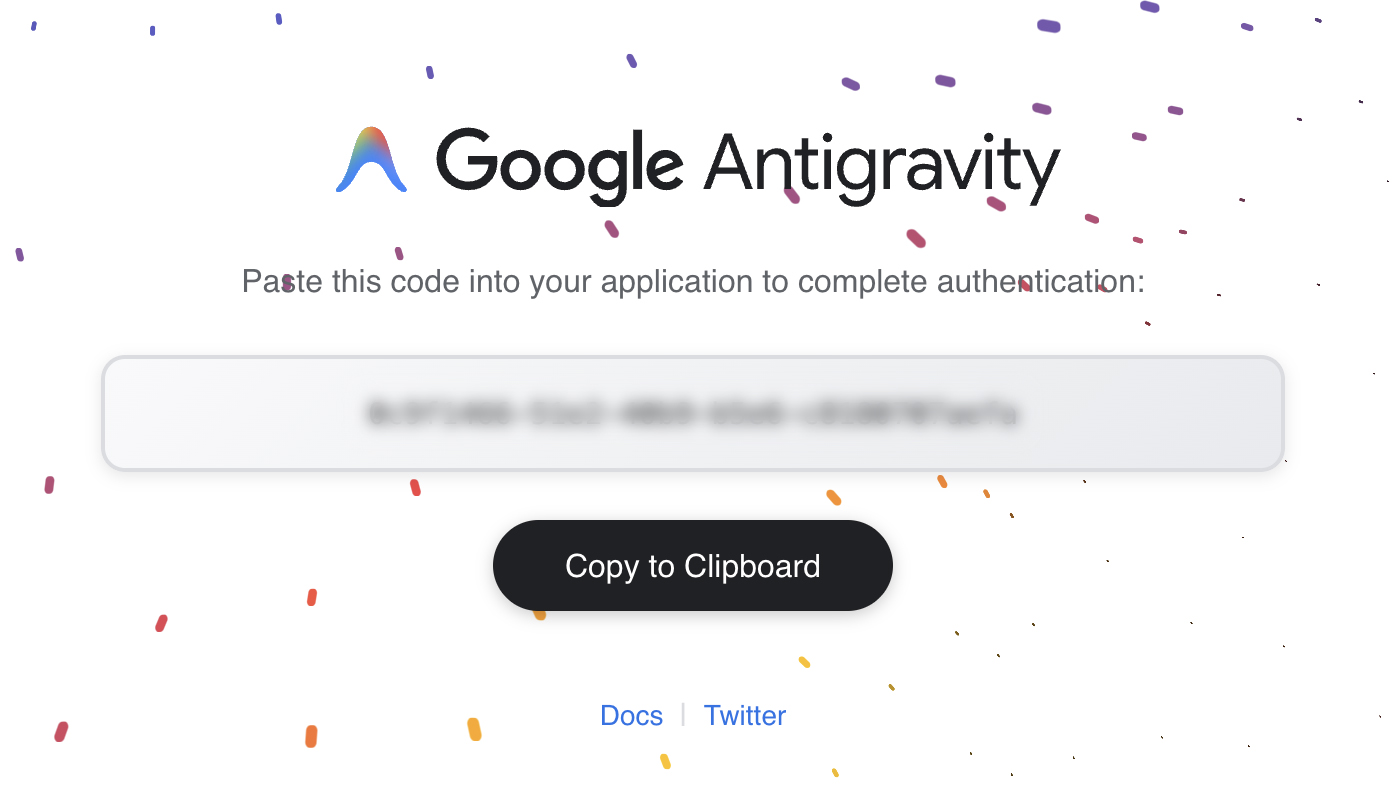
Copy the Antigravity code
After the authorisation a Google Antigravity page appears with a code. Press Copy to Clipboard: it is how you hand Antigravity the confirmation you just got.
Paste the code and press Submit
Go back to the Antigravity settings. Paste the code into the field that appeared under cobrain and press Submit.
Check the tools and try it
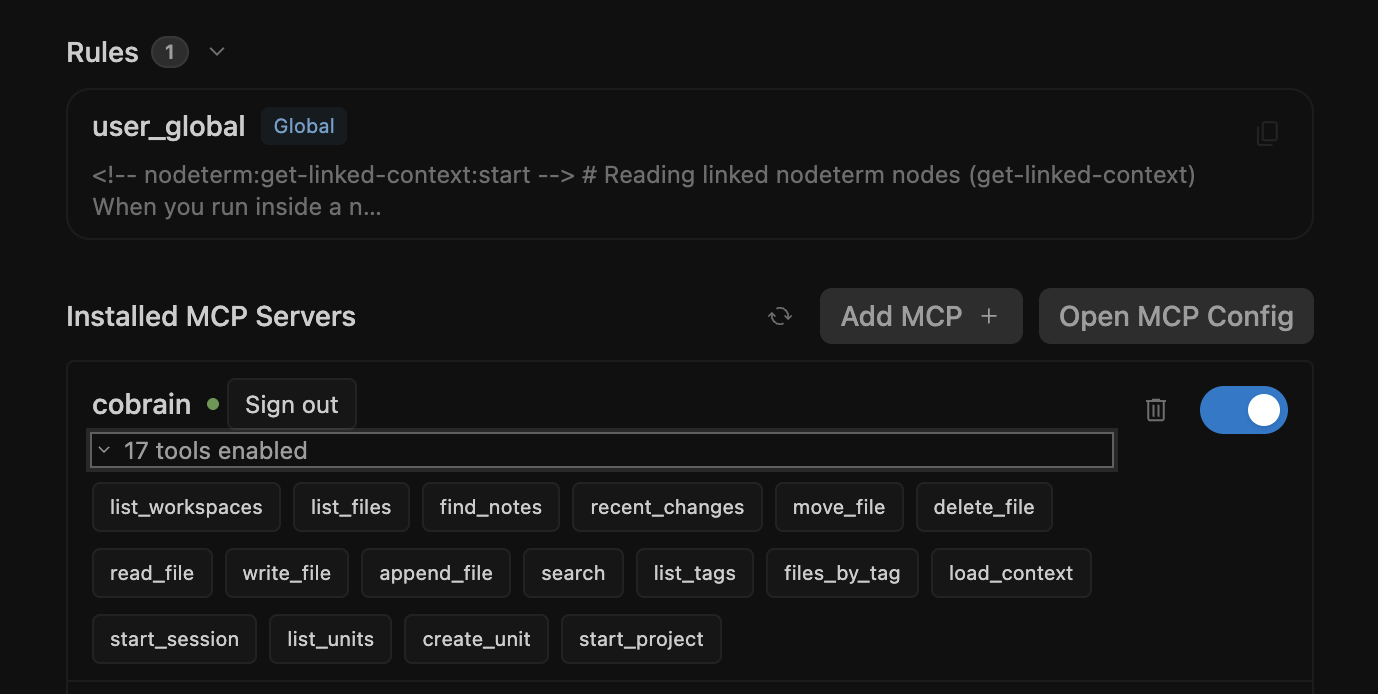
Cobrain shows a green dot, a Sign out button and 17 tools enabled. Now go back to the conversation and ask for something that is in your brain.
When you are done, try this
If it answers with your notes, it is connected.
In the Agent panel type: «search my brain for information about the client ACME». If it answers with your notes, it is connected.
If it gets stuck
Cobrain does not show up in the settings? Open Settings → Customizations and press the Refresh button next to «Installed MCP Servers». The red Unauthorized error is normal until you finish the authorisation.
For anything else: hi@cobrain.space. The other guides: every AI.
First the account, then the connection.
You sign in with your email, come back here and follow the steps. Three minutes, and your AI can read your brain.

