Connecting Claude to your brain
It works the same in the desktop app and on claude.ai in the browser, and it does not go through the settings: you do it from the + next to the message box. A paid Claude plan is required.
What you need
A Cobrain account (free, with your email) and this address: it is the only thing you carry into the other program. No key, no password.
https://cobrain.space/mcpAccess: read and write, with exactly your permissions. Duration: until you revoke it, from the Connections page in the dashboard.
The steps
4 in all. One action per step; wherever something can go wrong, the fix is inside that step.
Open Add custom connector
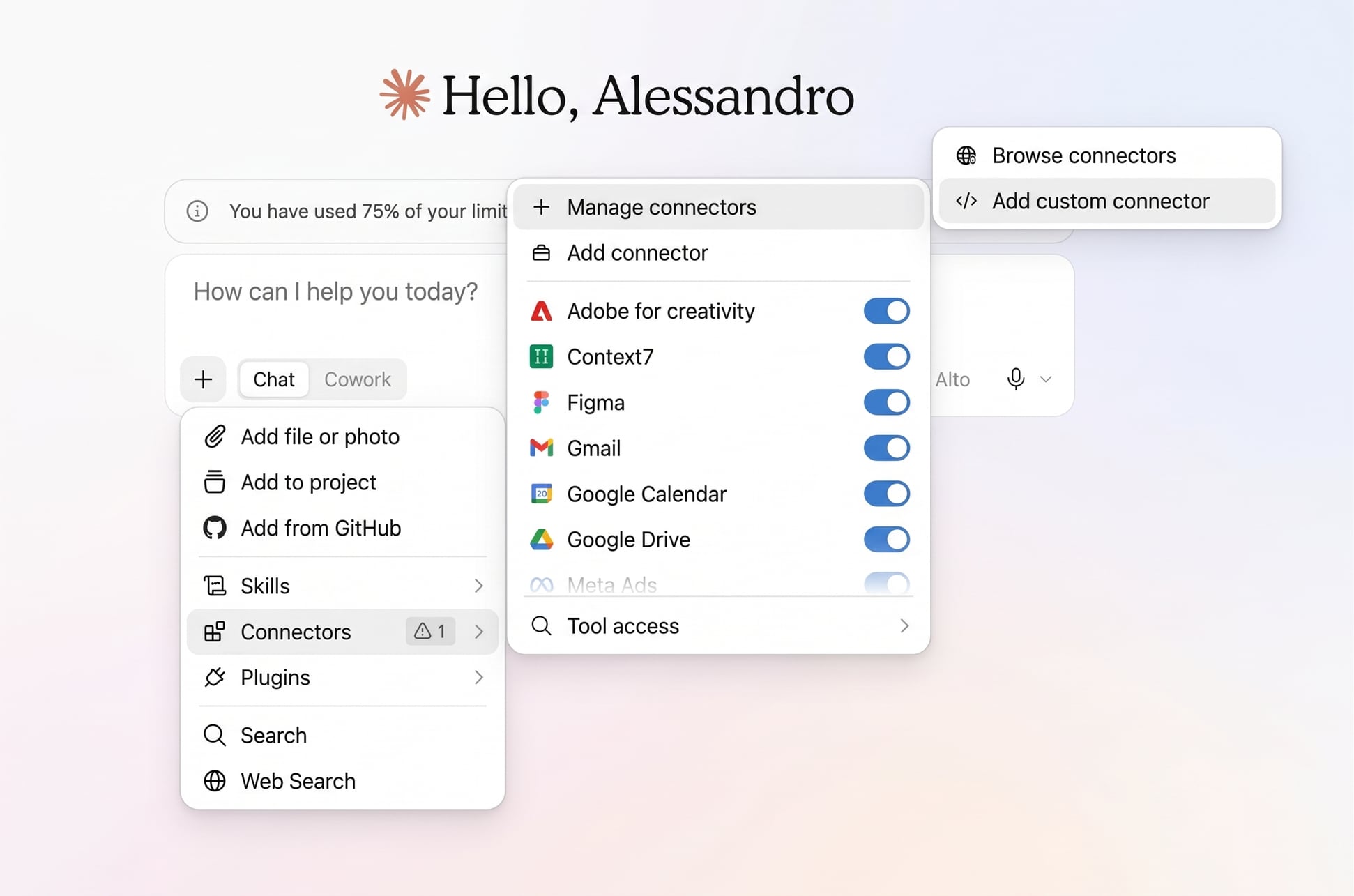
In a chat press the + to the left of the message box. In the menu choose Connectors, then Add connector, then Add custom connector: three entries in a row, each opening the next.
Write the name, paste the address, Continue
In the first field write Cobrain: it is the name you will see in the connector list. In the second paste the address below. Then Continue.
https://cobrain.space/mcp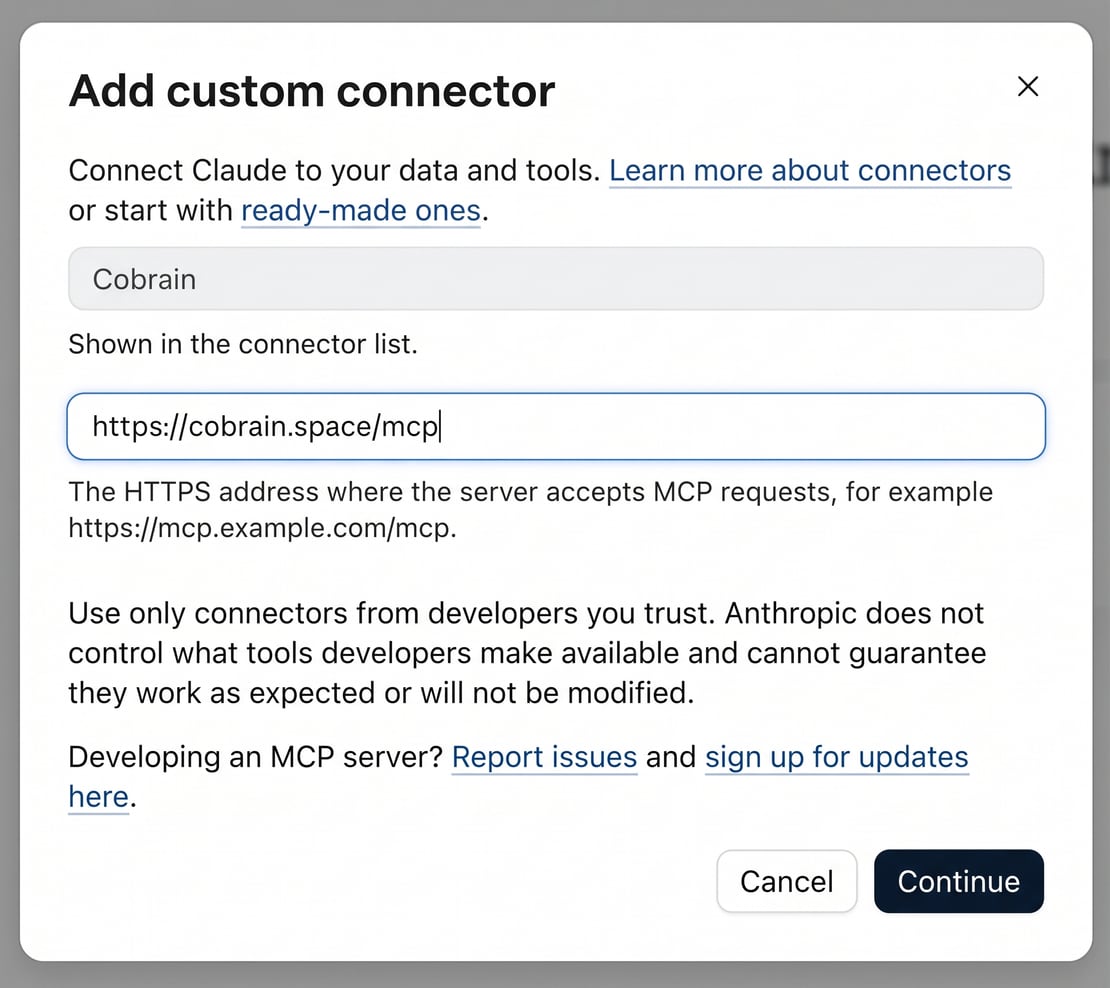
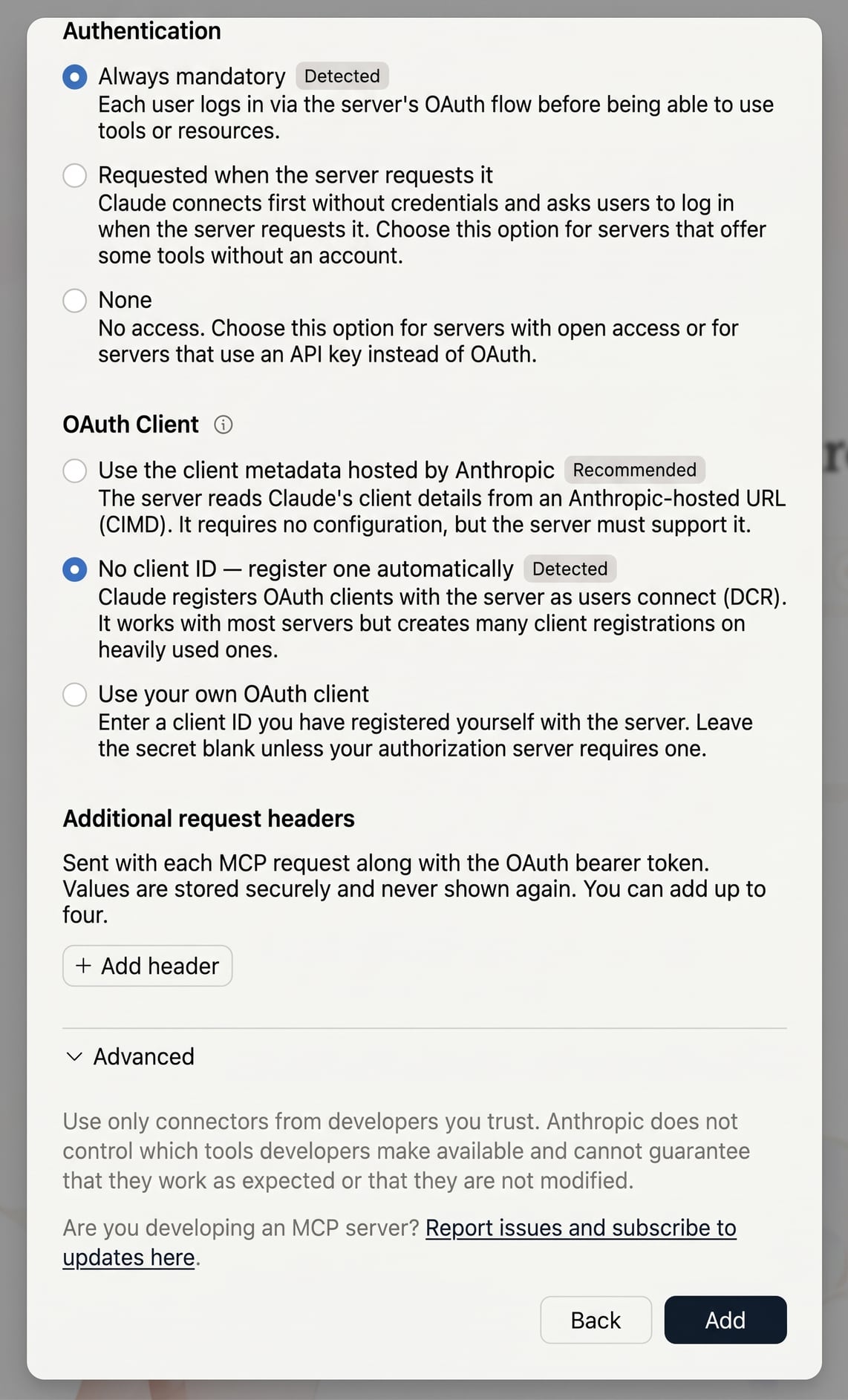
Touch nothing and press Add
The second screen comes with two choices already made, labelled Detected: Always mandatory and No client ID — register one automatically. Claude read them from Cobrain, and they are the right ones: leave them alone and press Add. The Cobrain page opens telling you what Claude will be able to read and write: press Allow access.
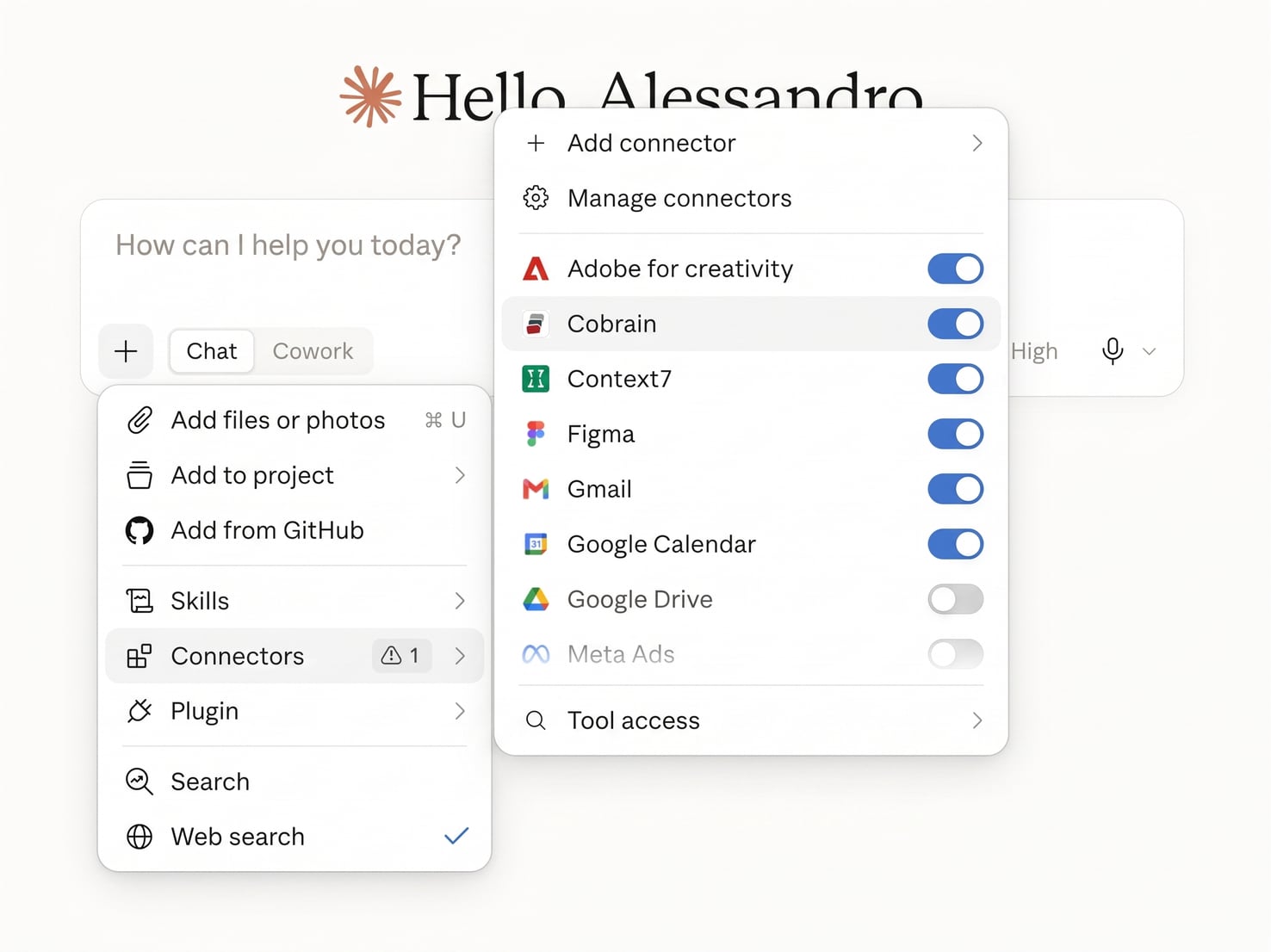
Check that Cobrain is on
Open + → Connectors again: Cobrain is in the list with a blue switch. From here you turn it off and on whenever you want — off, Claude does not enter the brain.
When you are done, try this
If it answers with your notes, it is connected.
Type in the chat: «search my brain for information about the client ACME». If it answers with your notes, it is connected.
If it gets stuck
Cannot see Add custom connector? It only shows on paid plans. If instead Cobrain stays greyed out in the list, open it and press Connect: the authorisation did not go through.
For anything else: hi@cobrain.space. The other guides: every AI.
First the account, then the connection.
You sign in with your email, come back here and follow the steps. Three minutes, and your AI can read your brain.

