Connecting Claude Code to your brain
Five short steps, a single line to paste. It works the same on Mac, Windows and Linux.
What you need
A Cobrain account (free, with your email) and this address: it is the only thing you carry into the other program. No key, no password.
https://cobrain.space/mcpAccess: read and write, with exactly your permissions. Duration: until you revoke it, from the Connections page in the dashboard.
The steps
5 in all. One action per step; wherever something can go wrong, the fix is inside that step.
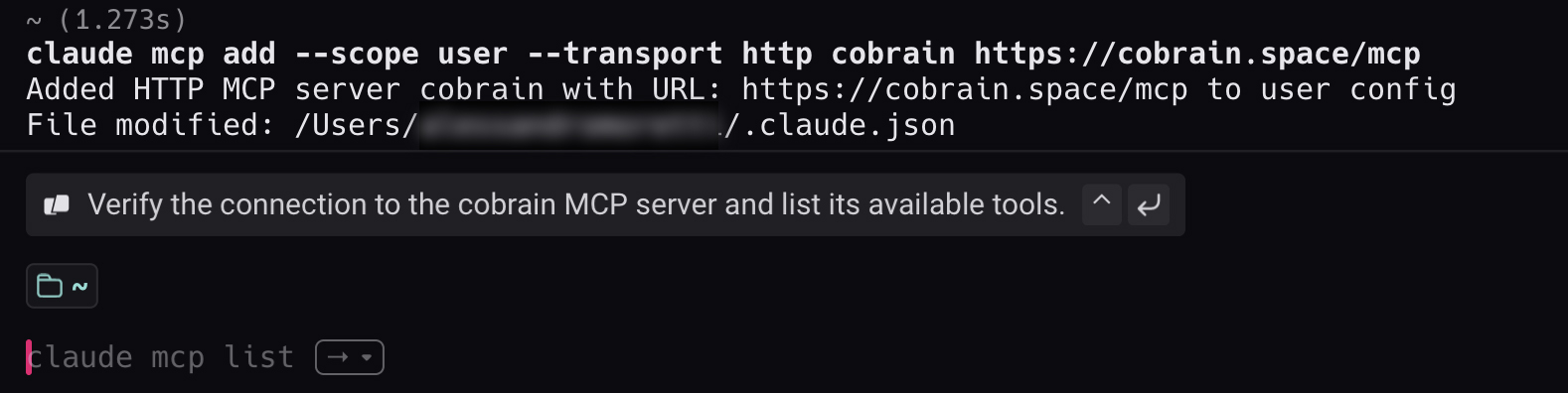
Paste this line into the Terminal
Open the Terminal (on a Mac: Spotlight, type «Terminal», enter), paste the line and press enter. You do not need to understand it: just copy it. The --scope user part does one thing only: it makes Cobrain available in every folder, not only the one you ran the command from.
claude mcp add --scope user --transport http cobrain https://cobrain.space/mcp
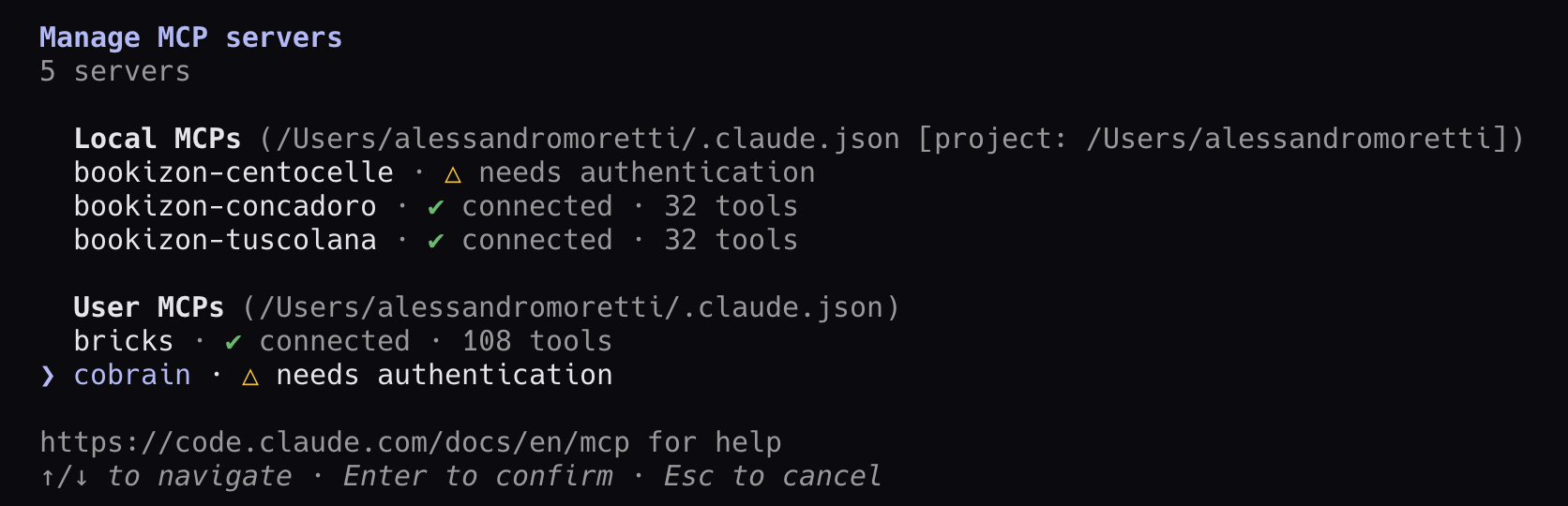
Open Claude Code and type /mcp
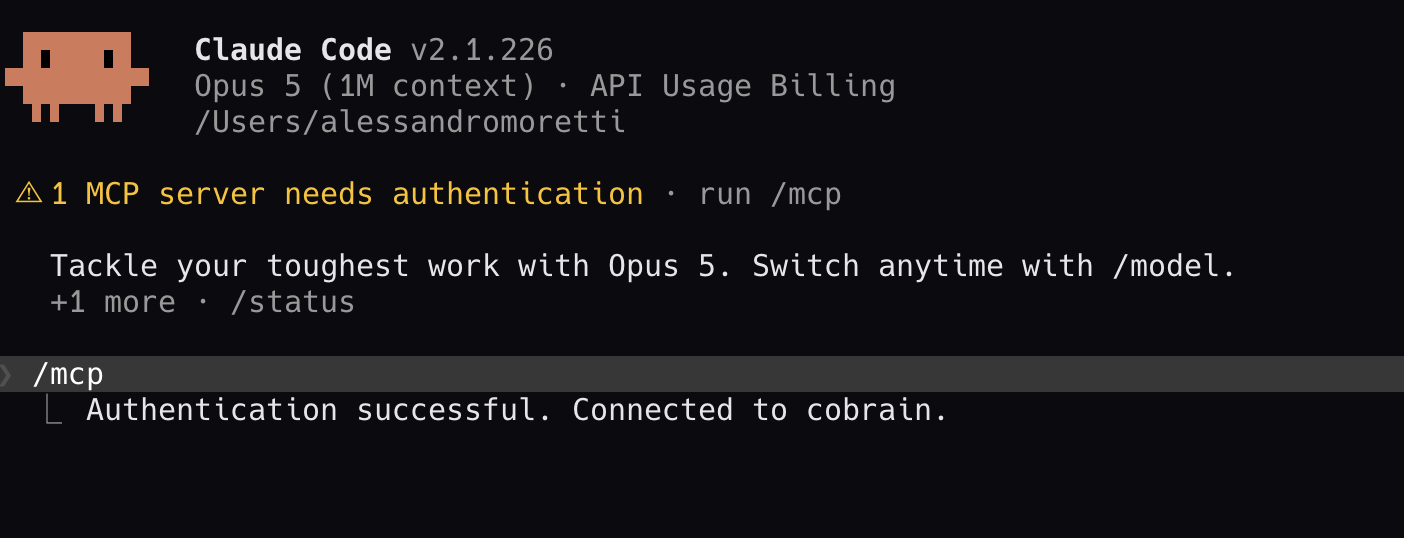
Start claude. The notice 1 MCP server needs authentication tells you Cobrain is installed but still has to be authorised. Type /mcp: in the list you find cobrain · needs authentication.
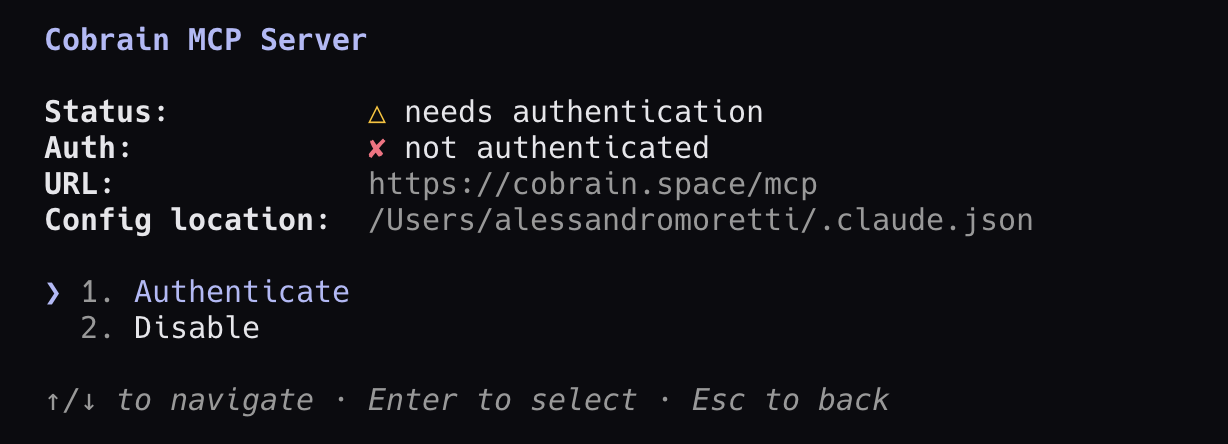
Open cobrain and choose Authenticate
With the arrow keys select cobrain and press enter. On the next screen leave Authenticate selected and press enter again: Claude Code opens the browser.
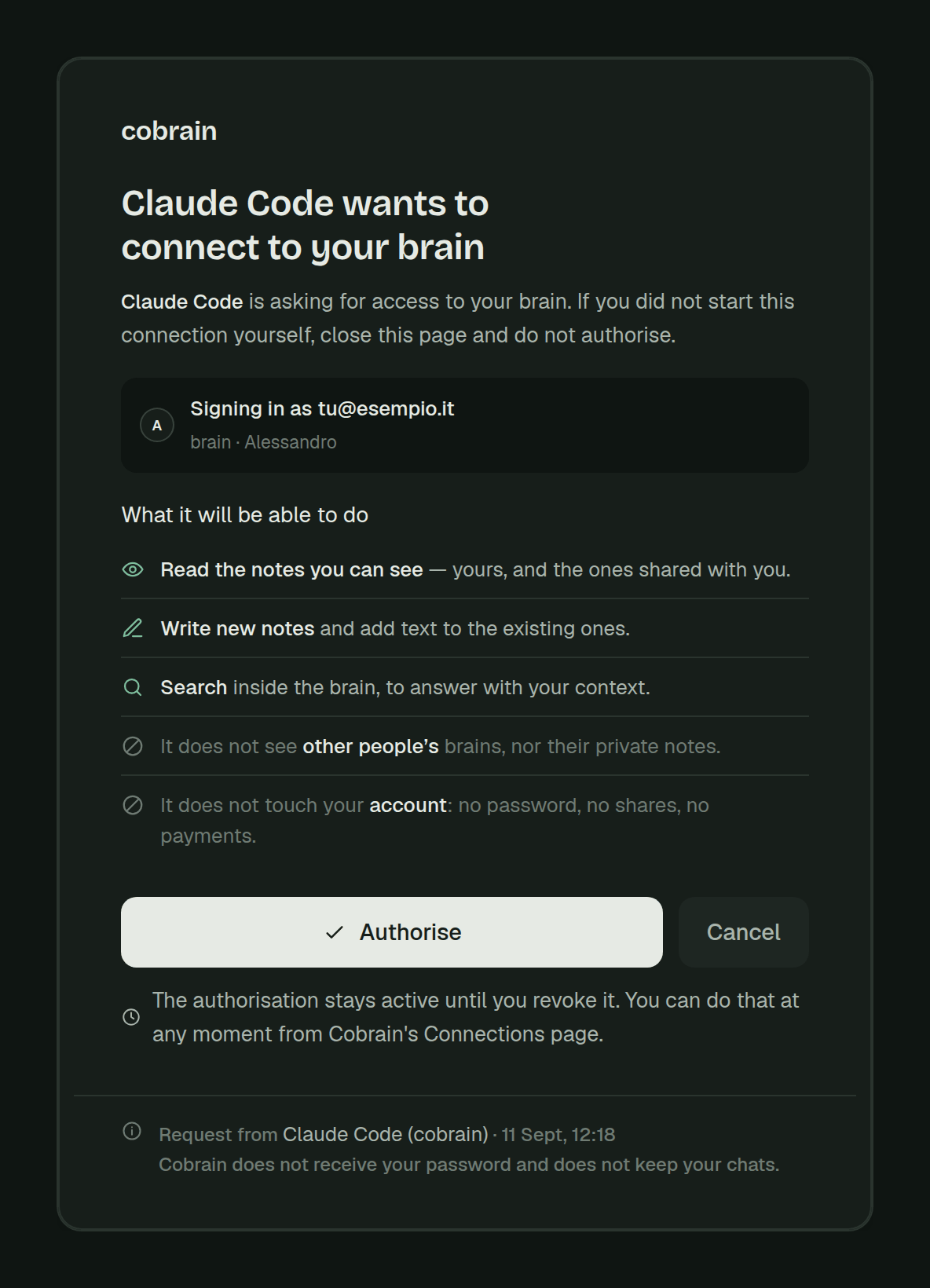
Press Allow access on Cobrain
Check that the page says Claude Code wants to connect to your brain, then press Allow access. The page shows which account you are signing in with and what Claude Code will be able to do.
Go back to Claude Code and try it
The terminal shows Authentication successful. Connected to cobrain.. Now ask for something that is in your brain: Claude Code will call Cobrain on its own.
When you are done, try this
If it answers with your notes, it is connected.
Inside Claude Code type: «search my brain for information about the client ACME». If it answers with your notes, it is connected.
If it gets stuck
Does the terminal answer «command not found: claude»? Claude Code is not installed on this computer: install it first, then come back here.
For anything else: hi@cobrain.space. The other guides: every AI.
First the account, then the connection.
You sign in with your email, come back here and follow the steps. Three minutes, and your AI can read your brain.

