Does Claude remember previous chats? In 2026, yes, through three separate mechanisms in the app and a fourth in the terminal that has nothing to do with the other three. Once you know which one is doing what, you stop re-explaining things you already explained.
Below: what Claude remembers on its own, where projects and chat search come in, how Claude Code differs, and how to give Claude a memory that lasts, one your other AIs and your colleagues can use too.
What Claude remembers by itself
Memory is on by default on the Free, Pro and Max plans, on web, desktop and mobile. On Team and Enterprise an administrator decides whether it's available, and then each person switches it on.
It saves while you talk. Claude keeps memory as a set of separate topics and updates them during the conversation, rather than summarising a chat after it ends. You can also just ask: "remember that invoices go out on the 5th" gets saved on the spot.
Everything it keeps is visible in Settings → Memory, topic by topic. You can correct a topic or delete it, and the change carries into every future conversation. That part is well done, honestly. Being able to read exactly what an assistant believes about you shouldn't be rare, but it is.
A few more things worth knowing:
- Sensitive subjects like health or beliefs are left out unless you turn them on, and some data, such as ID numbers and bank account numbers, is never saved.
- Since 25 August 2026 chat and Claude Cowork share one memory, so what Claude learns in one shows up in the other.
- Incognito chats don't appear in your history and don't write to memory.
Coming from another assistant? Claude has an import: you run a prompt in the old AI and paste its answer into Claude's memory settings. It copies what's there once. It doesn't keep the two in sync.
Projects: a separate memory for each one
If you use projects, each one gets its own memory and its own summary. What Claude learns while working on one client stays out of the chats about another client, and out of the chats that aren't in any project.
A project can also hold instructions and files, like the brief or the style guide. The difference is who decides. Memory is what Claude picks up along the way. Project files are what you hand it on purpose.
Chat search: finding old conversations
Chat search is a different feature. On Pro, Max, Team and Enterprise you can ask something like "what did we decide about the landing page last week?" and Claude searches your past conversations, showing the search as a step in its answer. Inside a project the search stays within that project.
You can turn it off from the same settings page.
Claude Code is a different story
In the terminal, none of the above applies. Claude Code has its own two memory systems.
CLAUDE.md files are instructions you write, for a project, for yourself or for a whole organisation, and they're read at the start of every session. Auto memory is the other one: notes Claude writes for itself in a folder on your machine, with a MEMORY.md index. Only the first 200 lines (or 25 KB) of that index load when a session starts.
Both are local files. What Claude remembers on claude.ai doesn't reach Claude Code, and auto memory doesn't travel to your other computer or to your colleagues. We went through what belongs in those files in CLAUDE.md vs AGENTS.md.
Where built-in memory stops
Put together, Claude's memory is good at remembering you, in your account, on the surface you're using. Real work usually spills past all three.
The chat app, Claude Code and the API each keep their own memory, so a decision made in a chat is news to the agent editing the code. Memory is also personal, even on Team plans: your colleague's Claude has no idea what yours learned about the client you both handle. If part of the job happens in ChatGPT or Codex, none of it is there either.
Then there's the format. Topics are short and Claude rewrites them as it goes, which is fine for preferences and wrong for a decision log or a client's full brief. Those need to stay exactly as written.
A persistent memory you control
The fix for all of this is the same one: keep work knowledge in notes outside Claude and let Claude read and write them. Claude supports custom connectors built on MCP, an open protocol. So do Claude Code, ChatGPT and Codex.
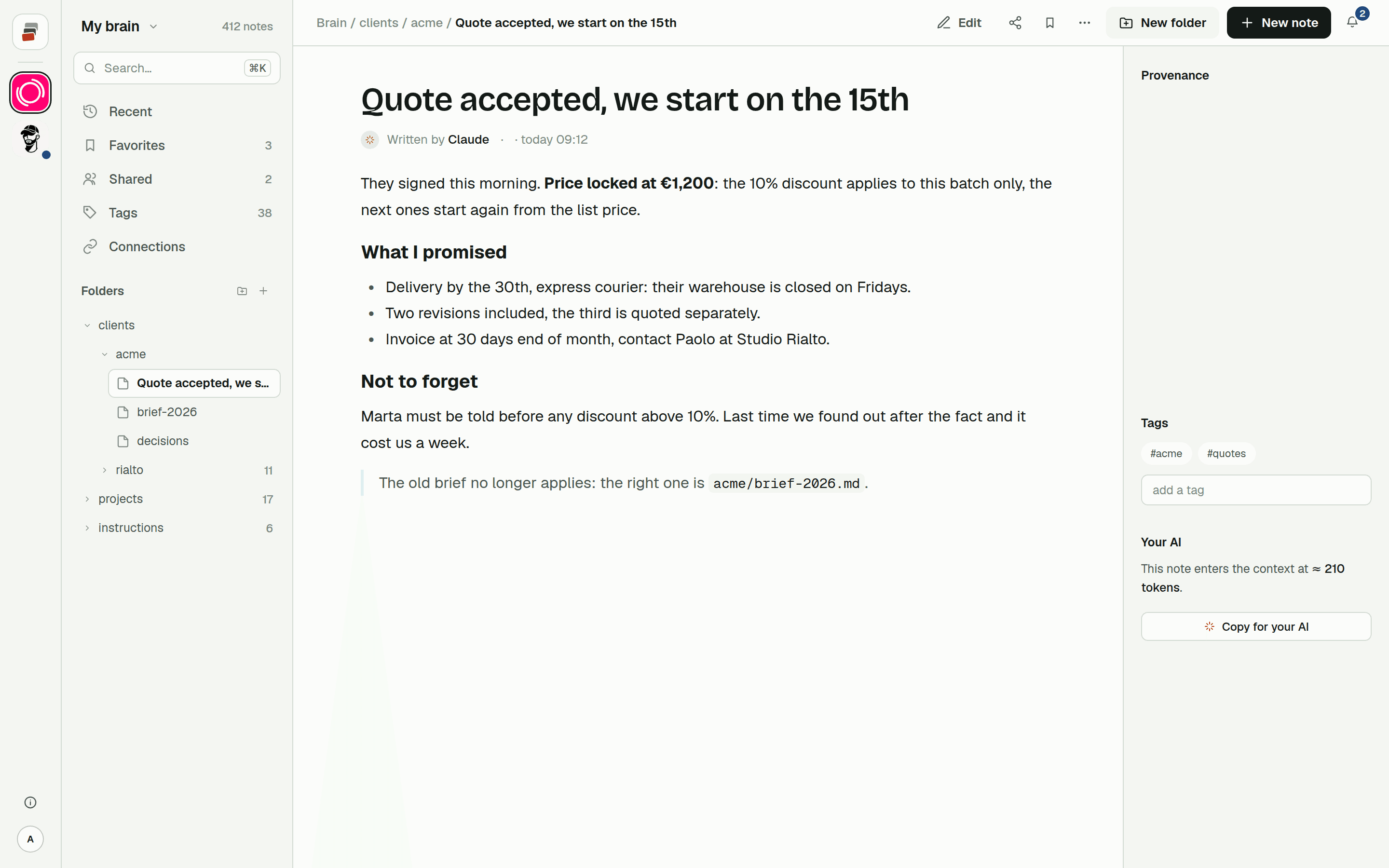
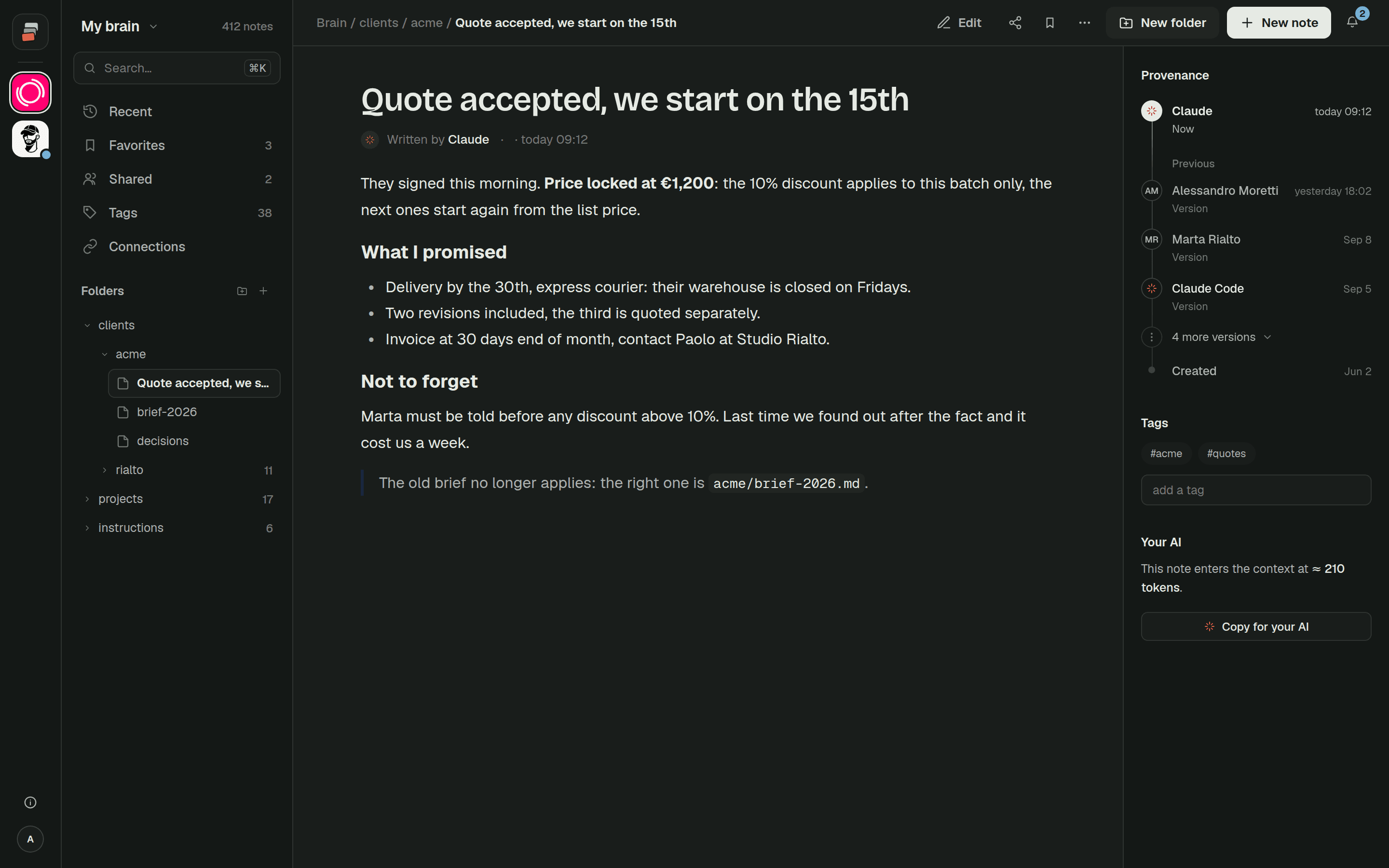
Here's how that plays out with a shared Markdown memory. Each client or project is a folder with its rules, decisions and notes. When work starts, Claude loads the folder in a sensible order (rules, then the index card, then the latest decisions) and searches for anything else when it needs it. When something gets decided, Claude writes it down in that folder, where you can read it and fix it.
Claude Code reads the same folder through the same connector, which means the terminal and the chat finally know the same things. And a folder can be shared with a colleague or a client, read-only or with write access, so their AI reads it as well.
Built-in memory keeps doing what it's good at, remembering how you like to work. The shared notes hold the work itself.
That's what we built Cobrain for. The Claude guide and the Claude Code guide take a few minutes each, and the free plan is enough.
Quick answers
Does Claude remember conversations between chats? Yes, if memory is on. It saves topics as you talk and uses them in new chats. On paid plans it can also search your past conversations when you ask.
Why doesn't Claude remember what I said in another project? Each project has its own memory on purpose, so contexts don't mix.
Is Claude Code's memory the same as the Claude app's? No. Claude Code uses CLAUDE.md files and its own auto memory, saved as files on your computer.
How do I give Claude unlimited, permanent memory? You can't inside the app. Keep long-term knowledge in external notes connected through MCP. Claude searches them when needed, so nothing has to fit into its memory all at once.