Every team has a knowledge base, even the ones that would say they don't. It's the onboarding doc, the price list, the shared drive with folders per client, the Slack thread where someone explained how invoices work. Then people start asking Claude and ChatGPT about the work, and the question turns practical: how do both AIs get to read the same knowledge, and who keeps it up to date?
There are three ways to do it today. You can upload files into projects, connect the tools where your documents already live, or keep a written knowledge base that every AI reads and writes through MCP. This article goes through what each one gives you and where it stops, then how to organize the content so an AI can actually use it. Facts about Claude and ChatGPT were checked against Anthropic's and OpenAI's help centers and announcements on 4 November 2026.
Option 1: upload the files into projects
The quickest start is a project. In Claude, you add documents, text or code to a project's knowledge base, and every chat in that project starts with them. Projects are on every plan, Free included (up to five there). On paid plans, when project knowledge gets close to the context window limit, Claude switches to RAG mode and searches the files instead of loading them all, which Anthropic says expands capacity by up to 10x.
ChatGPT has projects too, with files and instructions, and they can be shared with people you invite. We compared both sides in One memory for a team using different AIs.
For a team, this works well with documents that rarely change: the style guide, say, or the contract template. Anything that moves is another story. The price list changes, and someone has to remember to upload the new version in two places. In Claude, sharing a project is limited to Team and Enterprise and to members of your organization. And a Claude project and a ChatGPT project are two separate copies. Nobody tells you when they drift apart.
Option 2: connect the tools where your documents already live
The second way leaves the documents where they are and lets the AI search them.
On Claude's side, the Google Workspace connectors (Gmail, Calendar, Drive) are available on every plan. With Drive, Claude can search and read Docs, Sheets, Slides, PDFs and Office files. On Team and Enterprise, an owner has to enable it for the organization first. There's a catch for team projects: adding Drive documents to a project's files only works in private projects, not shared ones. The Microsoft 365 connector covers SharePoint, OneDrive, Outlook and Teams, and is listed for all plans. It needs a work or school account in a Microsoft Entra tenant, an admin's one-time consent, and it's read-only unless an admin enables write tools. Notion has its own connector, which we covered in Can Claude read my Notion?.
On ChatGPT's side, the team feature is called company knowledge. OpenAI offers it on Business, Enterprise and Edu. It searches connected apps such as Slack, SharePoint, Google Drive and GitHub, and answers with citations that link back to the source. It follows the permissions people already have in each app, so nobody sees a file through ChatGPT that they couldn't open directly. You have to select it in the chat, though. Without it, answers won't have the same depth.
This is the right answer when the knowledge already exists in documents and the main problem is finding it. Two limits are worth knowing. Setup happens twice, once per AI, with different admin steps. And the AI reads what's there without maintaining it: if the onboarding doc is two years old, both Claude and ChatGPT will quote it as if it were current. ChatGPT will even add the link to the source.
Option 3: a written knowledge base that every AI reads and writes
The third way treats the knowledge base as notes, not files. Short Markdown notes in folders, sitting behind one MCP server that Claude, ChatGPT, Claude Code, Codex and Cursor all connect to. MCP is the open protocol all of these tools support for reaching outside systems, and What is an MCP memory server explains how it works.
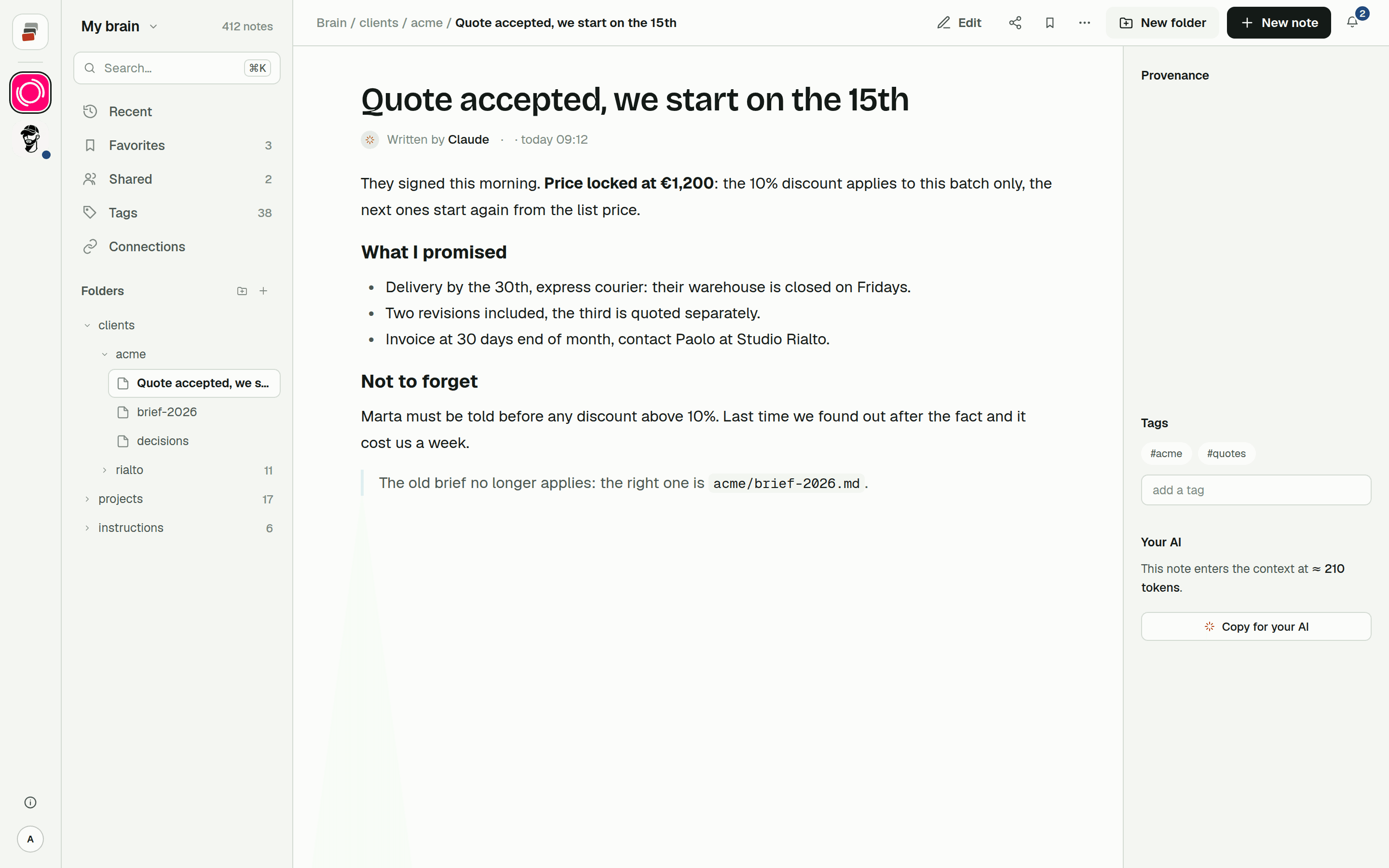
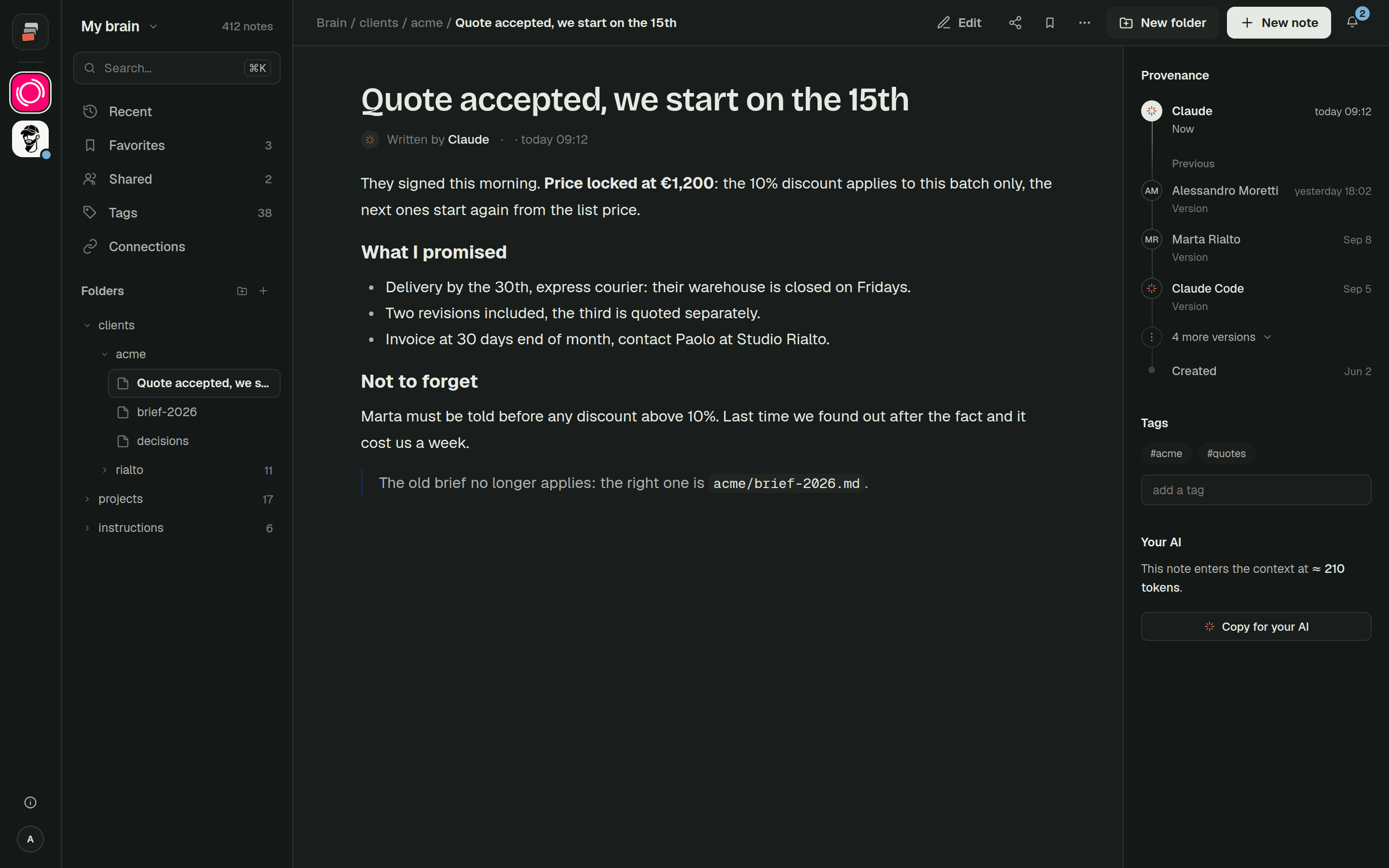
The difference from the first two options is the direction. Here the AI also writes. When a decision gets made in a Claude chat, Claude adds it to the right note. When a colleague asks ChatGPT the next day, it reads the same note. Nobody has to re-upload anything, and nobody has to remember which drive folder has the current version.
That only works under some conditions. The first is permissions: each person's AI sees what that person can see, no more. Then, because the AI writes, you want to know who changed a note and from which tool, and be able to go back to the version before. People also have to be able to open the notes and fix them by hand; a knowledge base that only the AI can read is one you can't check.
The three options also mix fine. Keep the brand book in a project, let the connector find the old contracts in Drive, and put the things that change every week in the shared notes.
How to organize a team knowledge base an AI can use
The format matters more than the tool. An AI finds and uses short, specific notes much better than one 40-page wiki page. A few habits help:
- One topic per note, with a name that says what's inside:
clients/acme/delivery.mdbeatsnotes-march.md. - A folder per client or area, so access can follow the work: the person handling Acme gets the Acme folder.
- Decisions written as decisions, with the date and who agreed: "15/10: no deliveries on Friday, agreed with Acme's purchasing office."
- Stable reference apart from facts that change. The tone of voice stays put for a year. The open orders change daily.
- A short index note at the top of each area that says what's where, so the AI starts from a map.
- When something stops being true, fix the note. Don't add a second one that contradicts it.
None of this is specific to AI. It's what makes a wiki usable for a new colleague too. The difference is that the AI reads everything, every time, so a stale note does damage faster.
Where Cobrain fits
Cobrain is the third option, built for teams. Notes are Markdown in folders, behind a remote MCP address you connect to Claude, ChatGPT, Claude Code, Codex, Cursor and others; the Claude guide shows the setup. You share a branch (a folder, or a single note) by email with read or write access, and it appears in the other person's tree. The rule about what they see is applied by the database, the same for the site and for their AI. Every change says who made it, and the previous version stays.
Whoever receives a share never pays. On Pro, one person besides you can write and readers are unlimited; from three writers there's the Team plan, with a brain for the whole squad. People outside the team, like a client or a consultant, can read the folders you share with them. How it works in practice is on Cobrain in a team, and the sharing guide walks through it step by step.
Quick answers
Can Claude and ChatGPT use the same knowledge base? Yes, if the knowledge sits somewhere both can reach: a drive both are connected to, or notes behind an MCP server both use. Projects don't cross over: a Claude project is invisible to ChatGPT, and the other way round.
What is company knowledge in ChatGPT? A feature of ChatGPT Business, Enterprise and Edu that searches connected apps such as Slack, SharePoint, Google Drive and GitHub, and answers with citations. It respects each person's existing permissions in those apps.
Can Claude search our Google Drive or SharePoint? Yes. The Google Drive connector reads Docs, Sheets, Slides, PDFs and Office files, and the Microsoft 365 connector searches SharePoint, OneDrive, Outlook and Teams. On Team and Enterprise an owner enables them first, and Microsoft 365 needs a work account and an admin's consent.
Should we upload files or connect the drive? Upload documents that rarely change. Connect the drive when the knowledge already lives there and you mainly need to find it. Keep things that change often, like decisions and open work, in notes the AI can update.