On 4 November 2026 Notion announced on X a shared memory for agents: "Give all your agents one shared brain in Notion". ChatGPT, Claude and their agents save to one common memory in Notion and use the same skills.
We build Cobrain, which does a similar job, so this is the obvious question for us: what's the difference? This article explains how Notion's memory works, based on the documentation of Notion's MCP server, and where Cobrain takes a different path. We only write about Notion what we could check. We haven't verified Notion's plans, prices, export or team sharing for this feature, so you won't find them here.
The problem is real
First, the good news. A company the size of Notion building this confirms what we saw every day: each AI keeps its own memory, and none of them knows what the others learned. You tell Claude about a client, then open ChatGPT, and you start from zero.
Both Notion and Cobrain answer the same way. One memory outside the AIs, which every AI reads and writes through MCP, the open protocol these tools use to reach outside systems. What is an MCP memory server explains how that works. The differences are in what that memory looks like and who can see it.
How Notion Memory works
From the documentation of Notion's MCP server:
- The memory lives in your Notion workspace. It's a database called "Memories", with one page per topic, of types like Profile, Preference, Work, People and Notes.
- There's also an "About" page, a summary of about 300 words.
- Agents read and write it through Notion's MCP server, and Notion records which agent created or changed each memory.
- It's designed as a memory of the person: who you are, your preferences, your projects. It isn't meant as an archive of work documents.
If your work already lives in Notion, this is a natural fit. Your AIs get a memory in the place you already use, and you can open it like any other Notion page. We covered how Notion's connector works in Claude in Can Claude read my Notion?.
Difference 1: Markdown notes in folders, not a database of pages
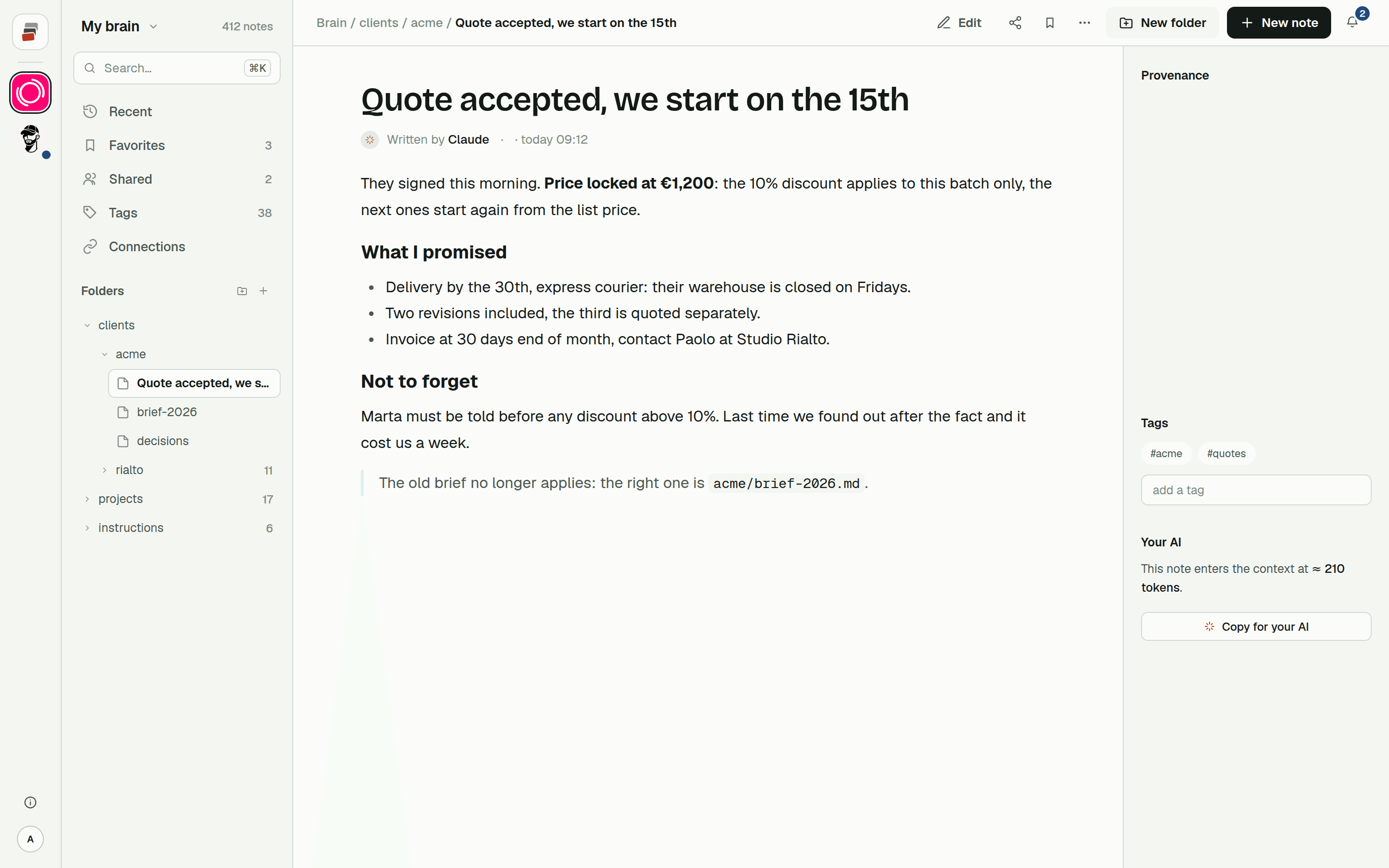
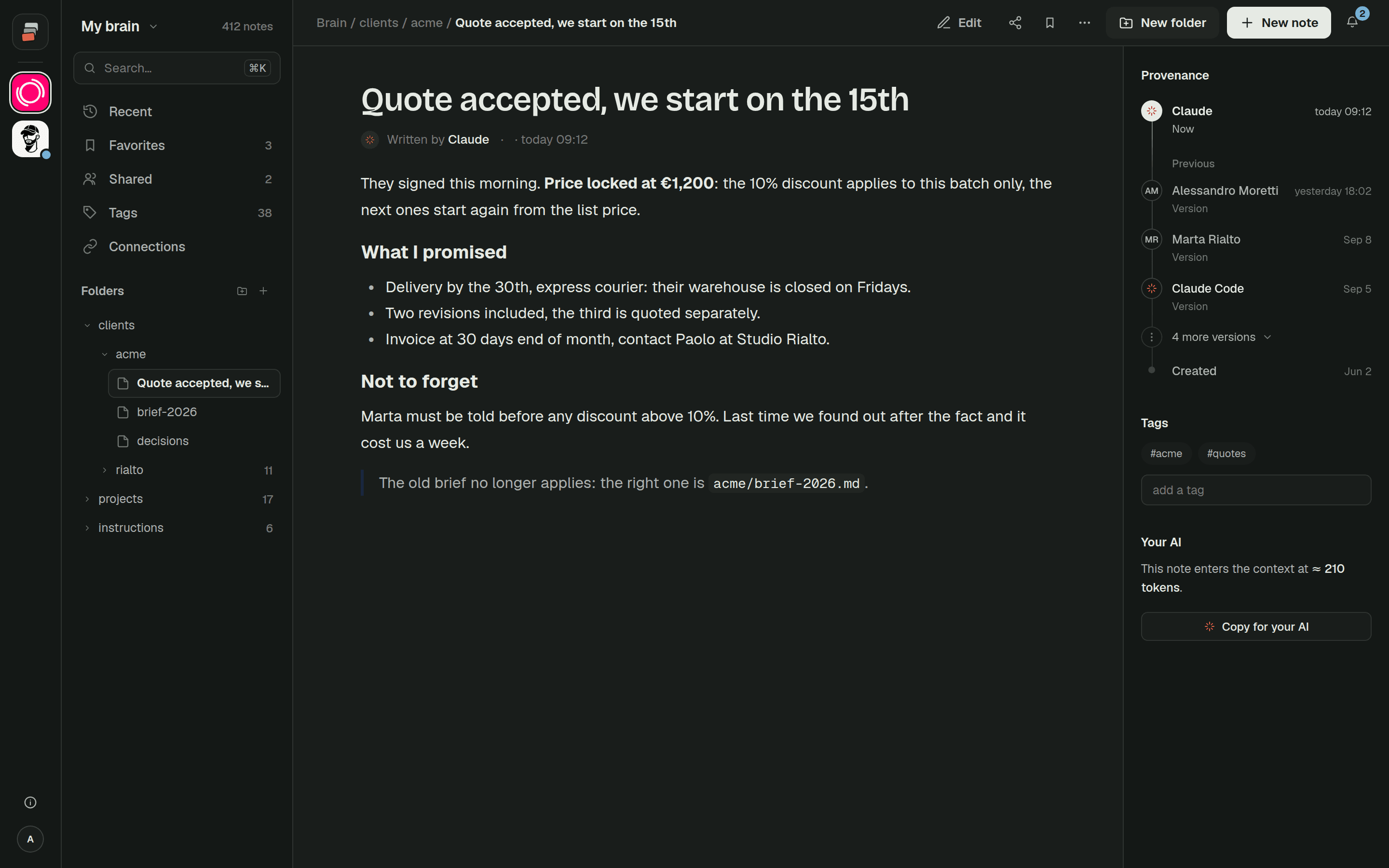
Cobrain stores plain Markdown notes in folders. You decide the structure: a folder per client, a note for decisions, a folder per project. A note looks like this:
clients/acme/decisions.md
That has two practical effects. The first is that the memory can hold work, not only facts about you. The price list, what was agreed with a client last week, how a project is set up: each one is a note in the right folder, and the AI reads and updates that note. The second is that the format belongs to you. Markdown is plain text that any editor opens. You can export one note as a .md file, or a whole folder as a zip of .md files with the same folders you see in the app.
Like Notion, Cobrain records who changed a note and from which tool, so you can tell a change made by a person from one made by Claude Code. It also keeps the previous versions, so you can go back.
Difference 2: team sharing, folder by folder
Cobrain was built for a team, and sharing follows the folders. You share a branch (a folder, or a single note) by email, with read or write access, and it appears in the other person's tree. So the person who works on Acme sees the Acme folder, and nobody else's clients.
The rule about what each person sees is applied by the database, and it's the same for the website and for their AI. When a colleague asks Claude about Acme, Claude can read what that colleague can read, and no more. The sharing guide walks through it step by step, and Cobrain in a team shows how it works day to day.
We built this for ourselves first. Cobrain comes from OverPress Media, a web agency in Rome that works with several AIs every day for many clients. A single shared memory where everyone sees every client wasn't an option for us.
Difference 3: it works where you already work, without adopting Notion
Cobrain is a remote MCP address you add to the tools you already use:
- the coding agents: Claude Code, Codex and Antigravity;
- the chats: Claude and ChatGPT.
You don't need a Notion workspace or any other new place to work. If your team writes code in Claude Code, talks to clients through ChatGPT and has never used Notion, the memory still comes to them. And if you use more than one AI, they all read the same notes: a decision saved from Codex in the morning is there when you ask Claude in the afternoon.
Which one to choose
If you already live in Notion, start with their memory. It's the shortest path: nothing new to learn, and your AIs end up in the place where your team already works.
Cobrain is a better fit when:
- you work mostly inside Claude Code, Codex or Antigravity, and in chats;
- you want your notes in plain Markdown that you can open, edit and export;
- the memory has to hold work for several clients, and each person should see only their own folders.
Nothing stops you from using both. Personal preferences can sit in one place, and client work in another.
Quick answers
What is Notion Memory? A memory for AI agents that lives in your Notion workspace, announced on 4 November 2026. It's a "Memories" database with one page per topic and an "About" summary page, read and written by agents through Notion's MCP server.
Is Cobrain a Notion alternative? Not as a workspace. Cobrain is a memory for your AIs: Markdown notes in folders that Claude, ChatGPT, Claude Code, Codex and Antigravity read and write over MCP. You can keep using Notion for everything else.
Can I share only part of the memory with a colleague? In Cobrain, yes. You share a folder or a single note by email, with read or write access, and their AI sees only what they can see.
Which AIs can use Cobrain? Claude, ChatGPT, Claude Code, Codex, Antigravity and other tools that support MCP. The guides show how to connect each one.